Skarp
Skarp
CCNA 200-301 Deep-Dive Masterclass: Network Fundamentals, Security, and Automation
A comprehensive, exam-focused CCNA 200-301 course that systematically builds your skills across routing, switching, wireless, security, and automation. Designed for serious candidates who want structured, blueprint-aligned preparation with enough depth to confidently pass the real certification exam.
The first lecture plays free — no account needed.
What you'll learn
- Students will be able to describe the six CCNA 200-301 domains and their weightings.
- Students will be able to outline a personal study plan that allocates time according to domain weights and their own strengths.
- Students will be able to identify effective lab environments and practice exam strategies for CCNA preparation.
- Students will be able to identify and explain the role of routers, Layer 2 and Layer 3 switches, next-generation firewalls, access points, controllers, endpoints, and servers in a network.
- Students will be able to map network functions to OSI and TCP/IP layers for troubleshooting and design.
- Students will be able to distinguish between control, data, and management planes in traditional and modern networks.
- Students will be able to describe characteristics of two-tier, three-tier, and spine-leaf architectures and when each is used.
- Students will be able to contrast WAN, SOHO, and enterprise campus topologies in terms of scale, redundancy, and performance.
- Students will be able to identify on-premises, cloud, and hybrid connectivity patterns in typical CCNA scenarios.
- Students will be able to calculate IPv4 subnets, host ranges, and broadcast addresses using CIDR notation.
Prerequisites
- CCNA 200-301 exam blueprint and domains
- Network components (routers, switches, firewalls, access points, controllers)
- OSI and TCP/IP models
- Network components (routers, switches, endpoints)
- IPv4 address structure and subnetting concepts
- Network components and basic topologies
Course Content
29 modules · 13h 3m total
CCNA 200-301 Orientation: Exam Blueprint, Scoring, and Study Strategy
Step into the CCNA journey with a clear map of the exam blueprint, question styles, and a realistic study plan so you know exactly what to expect and how to prepare efficiently.
Network Building Blocks: Core Network Components and Models
Walk through a modern enterprise network from endpoint to cloud and see how routers, switches, firewalls, and controllers fit together in layered architectures.
Network Topology Architectures: Campus, WAN, and Cloud Designs
Compare classic two-tier and three-tier campus designs with spine-leaf, SOHO, WAN, and cloud-connected topologies to see where each shines and how they appear on the exam.
IPv4 Addressing, Subnetting, and the Default Gateway
Dive deep into IPv4 addressing and subnetting so you can quickly design and troubleshoot IP schemes, including how hosts use their default gateway to reach remote networks.
IPv6 Fundamentals: Address Types, Notation, and Basic Configuration
Move beyond IPv4 into IPv6, decoding its notation, address types, and basic configuration so dual-stack environments make sense instead of feeling intimidating.
Ethernet, Interfaces, and Troubleshooting Physical Issues
Look under the hood of Ethernet links to understand cabling types, duplex and speed mismatches, and common interface errors that can cripple performance.
Transport Layer Essentials: TCP, UDP, and Common Port Numbers
Follow packets up the stack to see how TCP and UDP handle reliability, ordering, and multiplexing, and why certain applications choose one over the other.
Switching Foundations: MAC Address Tables, Frames, and Basic Configuration
See how switches learn MAC addresses, forward frames, and build Layer 2 domains, then configure basic switch settings that underpin more advanced features.
VLAN Concepts and Configuration: Segmenting the Layer 2 Network
Transform a flat network into logical segments using VLANs so you can isolate traffic, improve security, and prepare for inter-VLAN routing scenarios.
802.1Q Trunking and Inter-Switch Links
Connect multiple switches into a cohesive campus fabric using 802.1Q trunks so VLANs can span the network without losing segmentation.
Spanning Tree Protocol and Rapid Spanning Tree Protocol
Prevent Layer 2 loops while keeping redundancy by mastering how Spanning Tree Protocol and Rapid STP select root bridges, block ports, and converge.
Inter-VLAN Routing and Layer 3 Switching
Bridge the gap between VLANs by configuring inter-VLAN routing with router-on-a-stick and Layer 3 switches so hosts in different segments can communicate.
Wireless LAN Fundamentals and Basic WLAN Configuration
Cut the cord and see how wireless LANs integrate into the campus network, from RF basics to SSIDs, security settings, and controller-based deployments.
Routing Fundamentals: From Default Routes to Static Paths
Follow packets as they cross Layer 3 boundaries, using routing tables, metrics, and static routes to steer traffic toward its destination across multiple networks.
OSPFv2 Concepts: Link-State Routing Inside an Autonomous System
Step into link-state routing with OSPFv2, understanding areas, LSAs, and neighbor relationships that power scalable IPv4 routing domains.
OSPFv2 Configuration and Troubleshooting on Cisco Routers
Configure single-area OSPFv2 on Cisco routers, bring neighbors to the full state, and fix common adjacency and routing issues you will see on the exam.
First-Hop Redundancy: Keeping the Default Gateway Always Available
Protect default gateway availability with first-hop redundancy so hosts keep reaching remote networks even when a router fails.
Network Address Translation (NAT) and IPv4 Private Addressing
Bridge private IPv4 address spaces to the public internet with NAT, mastering how translations work and where they appear in real exam scenarios.
DHCP and DNS: Dynamic Addressing and Name Resolution
Automate IP assignments with DHCP and translate hostnames to IPs with DNS so clients can join the network and reach services without manual configuration.
SNMP, syslog, and NTP: Monitoring, Logging, and Time Synchronization
Give your network a voice by enabling SNMP monitoring, centralized logging with syslog, and accurate time with NTP to support operations and security.
QoS, SSH, FTP, and TFTP: Supporting Services for Reliable Operations
Round out your IP services toolkit with QoS basics and secure/legacy management protocols like SSH, FTP, and TFTP that appear in configuration and troubleshooting questions.
Security Fundamentals: Threats, Principles, and Device Hardening
View your network through an attacker’s eyes to understand common threats, security principles, and baseline hardening steps for Cisco devices.
Device Access Control, ACLs, and Secure Management
Control who can reach your devices and what they can do by combining local authentication, secure remote access, and ACL-based traffic filtering.
Layer 2 Security: Port Security, DHCP Snooping, and Wireless Security
Lock down the access layer with port security and other Layer 2 protections, then secure your WLANs with modern wireless security standards.
Software-Defined Networking and Controller-Based Architectures
Shift from box-by-box configuration to centralized control by unpacking software-defined networking and how controllers orchestrate modern networks.
JSON, Data Models, and REST APIs in Network Automation
Peek into the data formats and APIs that let software talk to your network, focusing on JSON and REST as used in CCNA-level automation tasks.
Cisco DNA Center and Intent-Based Networking at CCNA Level
See how Cisco DNA Center turns high-level intent into concrete network configurations, and where its features intersect with the CCNA blueprint.
Configuration Management with Ansible and Terraform Basics
Automate repetitive tasks and treat your network as code by learning how tools like Ansible and Terraform fit into Cisco environments at an introductory level.
CCNA Consolidation: Integrated Scenarios, Troubleshooting, and Exam Tactics
Tie everything together with end-to-end scenarios that blend routing, switching, security, and automation while sharpening your strategy for tackling the actual CCNA exam.
Read the Textbook
Read every chapter for free, right here in your browser.
In this module, you will get a clear, practical orientation to the CCNA 200-301 exam so you can study with purpose instead of guessing. We will unpack the current exam blueprint, question styles, scoring model, and a realistic study strategy that fits an undergraduate schedule.
As of mid-2026, CCNA 200-301 is Cisco's entry-level associate exam focused on fundamental networking, IP connectivity, security basics, and automation and programmability. It is vendor-specific (Cisco), but the core skills map closely to real-world networking across many environments.
Think of the exam as testing three layers of skill: Terminology and concepts: Can you define and recognize things like VLANs, routing protocols, and IP addressing? For example, you must know that "A Virtual Local Area Network (VLAN) is a logical subdivision of a Layer 2 network that groups devices into the same broadcast domain regardless of their physical location." Configuration and interpretation: Can you read and reason about Cisco IOS-style configurations, outputs like show ip interface brief, and diagrams? You are often asked, "What is wrong?" or "What command fixes this?" Design and troubleshooting logic: Can you apply rules and best practices (for example, where to place an ACL or how to choose a default gateway) to solve a scenario?
Study Flashcards
Key concepts from this course as flashcard pairs.
CCNA 200-301 Orientation: Exam Blueprint, Scoring, and Study Strategy
VLAN
A Virtual Local Area Network (VLAN) is a logical subdivision of a Layer 2 network that groups devices into the same broadcast domain regardless of their physical location.
default gateway
A default gateway is the IP address of a router interface on the local network segment that a host uses to send traffic destined for remote networks.
OSPFv2
Open Shortest Path First version 2 (OSPFv2) is a link-state interior gateway protocol used to exchange IPv4 routing information within a single autonomous system.
NAT
Network Address Translation (NAT) is a method of translating private IP addresses to public IP addresses, and vice versa, as packets traverse a router or firewall.
DHCP
The Dynamic Host Configuration Protocol (DHCP) automatically assigns IP configuration parameters such as IP address, subnet mask, default gateway, and DNS servers to clients.
DNS
The Domain Name System (DNS) is a distributed database that maps human-readable hostnames to IP addresses and other resource records.
+4 more flashcards
Network Building Blocks: Core Network Components and Models
VLAN
A Virtual Local Area Network (VLAN) is a logical subdivision of a Layer 2 network that groups devices into the same broadcast domain regardless of their physical location.
default gateway
A default gateway is the IP address of a router interface on the local network segment that a host uses to send traffic destined for remote networks.
NAT
Network Address Translation (NAT) is a method of translating private IP addresses to public IP addresses, and vice versa, as packets traverse a router or firewall.
DHCP
The Dynamic Host Configuration Protocol (DHCP) automatically assigns IP configuration parameters such as IP address, subnet mask, default gateway, and DNS servers to clients.
DNS
The Domain Name System (DNS) is a distributed database that maps human-readable hostnames to IP addresses and other resource records.
ACL
An Access Control List (ACL) is an ordered set of permit and deny statements that control which packets are allowed or blocked based on criteria such as source, destination, and protocol.
+4 more flashcards
Network Topology Architectures: Campus, WAN, and Cloud Designs
Two-tier (collapsed core) campus
Campus design with access layer switches and a combined distribution/core layer. Often used in small to medium sites. Distribution/core switches aggregate access switches, perform inter-VLAN routing, and connect to WAN/internet.
Three-tier campus
Campus design with access, distribution, and core layers. Access connects end devices, distribution aggregates access and enforces policy, and core provides a high-speed, highly available routed backbone.
Spine-leaf architecture
Modern fabric where leaf switches connect to end devices and to all spine switches. Spines connect only to leaves (and sometimes WAN edge). Provides predictable two-hop latency and many equal-cost paths, common in data centers.
Hub-and-spoke WAN
WAN topology with a central hub site connected to multiple spokes (branches). Spokes typically communicate via the hub, not directly with each other. Simpler but can create a hub bottleneck.
Full mesh WAN
WAN topology where every site has a direct link to every other site. Offers excellent resiliency and latency but is expensive and complex to scale.
SOHO topology
Small Office/Home Office design, typically a single all-in-one router with built-in switch, Wi‑Fi, NAT, DHCP, and basic firewall, serving a small number of devices over one internet link.
+6 more flashcards
IPv4 Addressing, Subnetting, and the Default Gateway
IPv4 address length
An IPv4 address is 32 bits long, typically shown as four decimal octets separated by dots (for example 192.168.1.10).
Subnet mask purpose
A subnet mask marks which bits of an IPv4 address are the network portion (1s) and which bits are the host portion (0s), enabling devices to determine local vs remote addresses.
CIDR prefix length
CIDR notation like /24 indicates the number of 1-bits in the subnet mask. /24 corresponds to 255.255.255.0.
Hosts per subnet formula
Usable hosts per subnet = 2^(32 − prefix_length) − 2, subtracting the network and broadcast addresses.
Private IPv4 ranges
10.0.0.0/8, 172.16.0.0/12, and 192.168.0.0/16 are private ranges used inside networks and translated using Network Address Translation (NAT).
Default gateway (canonical)
A default gateway is the IP address of a router interface on the local network segment that a host uses to send traffic destined for remote networks.
+4 more flashcards
IPv6 Fundamentals: Address Types, Notation, and Basic Configuration
Standard length of an IPv6 address (in bits)
128 bits, written as eight 16-bit hextets in hexadecimal separated by colons.
Two rules for shortening IPv6 addresses
1) Remove leading zeros in any hextet. 2) Replace a single contiguous run of all-zero hextets with `::` once per address.
Prefix pattern for IPv6 link-local addresses
`fe80::/10` (commonly written as `fe80::` followed by an interface identifier).
Prefix pattern for IPv6 unique local addresses (ULA)
`fc00::/7`, often seen as addresses starting with `fd` for locally assigned ULAs.
Typical prefix range for global unicast IPv6 addresses
`2000::/3`, which practically means addresses starting with 2 or 3 in hex.
Purpose of SLAAC
Allows IPv6 hosts to automatically configure their own global unicast addresses and default gateway using information from router advertisements, without requiring DHCPv6 for addressing.
+4 more flashcards
Ethernet, Interfaces, and Troubleshooting Physical Issues
Collision domain
A set of network devices in which a frame sent by one can collide with frames sent by others. In modern networks, each switch port is typically its own collision domain.
Half-duplex
An Ethernet mode where a device can either send or receive at a given time, but not both simultaneously. Collisions can occur, and CSMA/CD is used to manage access.
Full-duplex
An Ethernet mode where a device can send and receive simultaneously on a point-to-point link. Collisions do not occur and CSMA/CD is effectively disabled.
CRC error
A frame whose checksum does not match its contents, indicating corruption in transit. Often caused by duplex mismatches, bad cabling, or electrical interference.
Late collision
A collision detected after the first 64 bytes of a frame have been transmitted. Commonly associated with duplex mismatches or cabling problems in half-duplex environments.
Multimode fiber (MMF)
Fiber optic cable with a larger core that carries multiple light paths. It is typically used for short to medium distances within buildings or campuses.
+4 more flashcards
Transport Layer Essentials: TCP, UDP, and Common Port Numbers
What does the transport layer (Layer 4) provide on top of IP?
It provides end-to-end services such as reliability, ordering, and multiplexing between applications using port numbers, on top of IP's best-effort packet delivery.
Define a socket or connection endpoint in terms of addressing.
A socket is identified by the combination of source IP, source port, destination IP, destination port, and protocol (TCP or UDP).
Which protocol is connection-oriented and reliable: TCP or UDP?
TCP is connection-oriented and reliable, providing ordered delivery, retransmissions, flow control, and congestion control.
Which protocol is connectionless with low overhead: TCP or UDP?
UDP is connectionless and has low overhead, offering no built-in reliability, ordering, flow control, or congestion control.
What is the purpose of the TCP three-way handshake?
To establish a TCP connection by synchronizing sequence numbers and confirming that both endpoints are ready to communicate.
List the three steps of the TCP three-way handshake.
1) Client sends SYN. 2) Server replies with SYN-ACK. 3) Client sends ACK. The connection is then established.
+6 more flashcards
Switching Foundations: MAC Address Tables, Frames, and Basic Configuration
MAC address table (CAM table)
A switch's internal database that maps learned MAC addresses to specific switch ports and VLANs, enabling efficient Layer 2 forwarding of Ethernet frames.
Collision domain
A network segment where a single Ethernet collision can affect all devices on that segment. In modern full-duplex switched networks, each switch port is its own collision domain.
Broadcast domain
The set of devices that receive a Layer 2 broadcast frame. By default, all ports in the same VLAN on a switch are in the same broadcast domain, and routers separate broadcast domains.
Unicast vs broadcast frame
A unicast frame is addressed to a single destination MAC and should be forwarded only to the corresponding port. A broadcast frame uses destination MAC FF:FF:FF:FF:FF:FF and is flooded to all ports in the VLAN except the incoming port.
CDP (Cisco Discovery Protocol)
A Cisco proprietary Layer 2 discovery protocol that advertises information such as device ID, platform, IP addresses, and port ID to directly connected Cisco neighbors.
LLDP (Link Layer Discovery Protocol)
An IEEE 802.1AB open-standard Layer 2 discovery protocol used to advertise and discover information about directly connected network devices in multi-vendor environments.
+2 more flashcards
VLAN Concepts and Configuration: Segmenting the Layer 2 Network
Define VLAN (use the canonical definition).
A Virtual Local Area Network (VLAN) is a logical subdivision of a Layer 2 network that groups devices into the same broadcast domain regardless of their physical location.
What is a broadcast domain in the context of VLANs?
A broadcast domain is the set of devices that receive a Layer 2 broadcast frame. Each VLAN forms its own separate broadcast domain on a switch or group of switches.
Command: Create VLAN 20 with name SALES.
From global config: `vlan 20` ` name SALES`
Command: Make Fa0/3 an access port in VLAN 10.
`interface fastethernet0/3` ` switchport mode access` ` switchport access vlan 10`
Command: Configure a voice VLAN 30 on access port Fa0/5 with data VLAN 10.
`interface fastethernet0/5` ` switchport mode access` ` switchport access vlan 10` ` switchport voice vlan 30`
Command: Configure Gi0/1 as a trunk allowing VLANs 10,20,30 with native VLAN 99.
`interface gigabitethernet0/1` ` switchport mode trunk` ` switchport trunk native vlan 99` ` switchport trunk allowed vlan 10,20,30,99`
+4 more flashcards
802.1Q Trunking and Inter-Switch Links
What is the main purpose of an 802.1Q trunk?
To allow multiple VLANs to share a single physical link between switches (or between a switch and a router) while keeping each VLAN's traffic logically separate using VLAN tags.
Where is the 802.1Q tag inserted in an Ethernet frame?
Between the source MAC address and the EtherType/length field. It adds 4 bytes containing the TPID (0x8100) and TCI, which includes the VLAN ID.
Define the native VLAN on a Cisco 802.1Q trunk.
The native VLAN is the VLAN whose frames are sent untagged on the trunk by default. Untagged frames received on the trunk are associated with this VLAN.
Default native VLAN on Cisco switches and its tagging behavior?
The default native VLAN is VLAN 1. Frames in VLAN 1 are sent untagged on trunks by default; all other VLANs are sent with 802.1Q tags.
Command to force an interface to be a trunk on Cisco IOS?
`interface g0/x` then `switchport mode trunk`.
Command to restrict which VLANs are carried on a trunk?
`switchport trunk allowed vlan <vlan-list>` (for example, `switchport trunk allowed vlan 10,20,30,99`).
+4 more flashcards
Spanning Tree Protocol and Rapid Spanning Tree Protocol
Spanning Tree Protocol (STP)
Spanning Tree Protocol (STP) is a Layer 2 protocol that prevents loops in a bridged network by placing redundant paths into a blocking state while maintaining a loop-free logical topology.
Root bridge
The single switch elected by STP as the logical center of the Layer 2 topology. It has the lowest Bridge ID (priority + MAC). All path cost calculations are measured relative to the root bridge.
Root port
On a non-root switch, the port with the lowest-cost path to the root bridge. There is exactly one root port per non-root switch, and it is always in the forwarding state.
Designated port
On each network segment, the port that has the lowest path cost to the root bridge. Designated ports are responsible for forwarding frames toward that segment and are in the forwarding state.
Alternate port (RSTP)
An RSTP port role that provides a backup path to the root bridge. It corresponds to a blocking port in classic STP and can rapidly transition to forwarding if the active path fails.
PortFast
A Cisco feature applied to access ports that allows them to transition immediately to the forwarding state, bypassing normal STP listening and learning delays. Intended only for end-host ports.
+4 more flashcards
Inter-VLAN Routing and Layer 3 Switching
Inter-VLAN routing
The process of routing traffic between different VLANs (and therefore different IP subnets) using a Layer 3 device such as a router or multilayer switch.
Router-on-a-stick
A design where a single physical router interface connects to a switch via an 802.1Q trunk, and multiple router subinterfaces (one per VLAN) provide inter-VLAN routing.
Switched Virtual Interface (SVI)
A logical Layer 3 interface on a switch that is associated with a VLAN and typically provides the default gateway IP address for that VLAN.
Trunk port
A switch port that carries traffic for multiple VLANs, usually using 802.1Q tagging, and is required toward a router in a router-on-a-stick design.
Default gateway (definition)
A default gateway is the IP address of a router interface on the local network segment that a host uses to send traffic destined for remote networks.
Requirement for inter-VLAN routing
Each VLAN must have its own IP subnet and a Layer 3 interface (router subinterface or SVI) with an IP address in that subnet.
+4 more flashcards
Wireless LAN Fundamentals and Basic WLAN Configuration
SSID (Service Set Identifier)
The human-readable name of a wireless network, advertised by APs in beacon frames and selected by clients when joining a WLAN.
Basic Service Set (BSS)
One AP’s wireless coverage area plus the clients associated to it, identified by a unique BSSID (the AP radio’s MAC address).
BSSID
The MAC address of an AP’s radio interface that uniquely identifies a Basic Service Set (BSS).
Lightweight AP
An access point that relies on a Wireless LAN Controller, using CAPWAP to offload configuration, control, and often data forwarding.
Autonomous AP
A standalone access point that is configured individually and performs RF, security, and VLAN bridging functions locally without a central controller.
CAPWAP
Control and Provisioning of Wireless Access Points, a UDP-based protocol used between lightweight APs and a wireless LAN controller for control and often data tunneling.
+4 more flashcards
Routing Fundamentals: From Default Routes to Static Paths
Routing table
A data structure on a router that lists known destination networks, their prefix lengths, next-hop IP addresses or outgoing interfaces, administrative distance, metrics, and route sources, used to decide how to forward packets.
Longest prefix match
The rule that when multiple routing table entries match a destination IP, the router selects the route with the most specific prefix (the largest prefix length, such as /30 over /24).
Connected route
A route automatically installed in the routing table for a network that is directly attached to a router interface that is configured with an IP address and is in the up/up state.
Static route
A manually configured route on a router, typically using the `ip route` command, specifying a destination network, mask, and a next-hop IP address or outgoing interface.
Dynamic route
A route that a router learns automatically through a routing protocol such as OSPFv2, which exchanges routing information with neighboring routers.
Default route (IPv4)
A special routing table entry with destination prefix 0.0.0.0/0 that matches all destination addresses and is used when no more specific route exists.
+4 more flashcards
OSPFv2 Concepts: Link-State Routing Inside an Autonomous System
OSPFv2 (full definition)
Open Shortest Path First version 2 (OSPFv2) is a link-state interior gateway protocol used to exchange IPv4 routing information within a single autonomous system.
Link-state routing (concept)
A routing approach where routers describe their directly connected links and flood this information as LSAs. Every router builds an identical link-state database and runs a shortest path algorithm to compute routes.
Distance-vector routing (concept)
A routing approach where routers share information about destination networks and their distance (metric) and next-hop. Routers do not maintain a full topology map; they rely on information learned from neighbors.
OSPF area
A logical grouping of routers and networks that share the same link-state database. Areas allow OSPF to scale by limiting the scope of LSAs. Area 0 is the backbone area.
Area Border Router (ABR)
A router that has interfaces in more than one OSPF area. It maintains a separate LSDB for each area and advertises summary routes between areas.
Link-State Advertisement (LSA)
An OSPF message type that describes part of the network topology, such as a router’s links or a network segment. LSAs are flooded within areas and stored in the LSDB.
+5 more flashcards
OSPFv2 Configuration and Troubleshooting on Cisco Routers
Command to start an OSPFv2 process with ID 1 on a Cisco router
`router ospf 1` in global configuration mode
Definition of OSPFv2
Open Shortest Path First version 2 (OSPFv2) is a link-state interior gateway protocol used to exchange IPv4 routing information within a single autonomous system.
Command to set the OSPF router ID to 2.2.2.2
Under `router ospf <process-id>`: `router-id 2.2.2.2`
Effect of `network 10.1.0.0 0.0.255.255 area 0` under `router ospf`
Enables OSPFv2 on all interfaces whose IPs are in 10.1.0.0/16 and assigns them to area 0.
Command to see OSPF neighbors and their states
`show ip ospf neighbor`
Command to make all OSPF interfaces passive by default
Under `router ospf`: `passive-interface default`
+4 more flashcards
First-Hop Redundancy: Keeping the Default Gateway Always Available
default gateway
A default gateway is the IP address of a router interface on the local network segment that a host uses to send traffic destined for remote networks.
First-hop redundancy protocol (FHRP)
A family of protocols (such as HSRP and VRRP) that allow multiple routers on a LAN to share a virtual IP and MAC, so hosts have a resilient default gateway even if one router fails.
Virtual IP address (FHRP context)
An IP address that is not tied to a single physical interface but is shared by a group of routers running an FHRP and used by hosts as their default gateway.
Virtual MAC address (FHRP context)
A MAC address generated by an FHRP and associated with the virtual IP. It is owned by the active/master router and moves to a backup router during failover.
HSRP Active router
The router in an HSRP group that currently owns the virtual IP and MAC and forwards traffic sent to the virtual default gateway.
HSRP Standby router
The router in an HSRP group that is next in line to become Active if the current Active router fails.
+4 more flashcards
Network Address Translation (NAT) and IPv4 Private Addressing
Private IPv4 address ranges (RFC 1918)
10.0.0.0/8, 172.16.0.0/12, and 192.168.0.0/16. These ranges are reserved for internal use and are not routable on the public internet.
NAT (definition)
Network Address Translation (NAT) is a method of translating private IP addresses to public IP addresses, and vice versa, as packets traverse a router or firewall.
Static NAT
A fixed one-to-one mapping between a private (inside local) address and a public (inside global) address, often used for servers that must be reachable from the internet.
Dynamic NAT
Uses a pool of public addresses and maps inside local addresses to available inside global addresses on a first-come, first-served basis. Still one-to-one while active.
Port Address Translation (PAT)
Also called NAT overload. Many inside hosts share a single public IP by translating both IP address and source port, allowing thousands of sessions per public IP.
Inside local vs inside global
Inside local: private address of an internal host (e.g., 192.168.1.10). Inside global: public address representing that host on the internet (e.g., 203.0.113.10).
+4 more flashcards
DHCP and DNS: Dynamic Addressing and Name Resolution
DHCP (full definition)
The Dynamic Host Configuration Protocol (DHCP) automatically assigns IP configuration parameters such as IP address, subnet mask, default gateway, and DNS servers to clients.
DNS (full definition)
The Domain Name System (DNS) is a distributed database that maps human-readable hostnames to IP addresses and other resource records.
default gateway (definition)
A default gateway is the IP address of a router interface on the local network segment that a host uses to send traffic destined for remote networks.
DORA in DHCP
Discover, Offer, Request, Acknowledge – the four-step exchange between a DHCP client and server when obtaining a lease.
DHCP lease
A time-limited assignment of an IP address and configuration options to a client. The client must renew it before expiration or stop using the address.
DHCP relay (ip helper-address)
A function on routers/L3 switches that listens for DHCP broadcasts and forwards them as unicast packets to a remote DHCP server specified by `ip helper-address`.
+4 more flashcards
SNMP, syslog, and NTP: Monitoring, Logging, and Time Synchronization
SNMP manager vs SNMP agent
The SNMP manager (NMS) queries devices and receives traps; the SNMP agent runs on each device, exposing management data via the MIB.
SNMPv2c vs SNMPv3 (security difference)
SNMPv2c uses clear-text community strings and provides no encryption or strong authentication. SNMPv3 adds user-based authentication and optional encryption (authPriv), and is the recommended secure choice.
Common command: configure read-only SNMPv2c community with ACL 10
`snmp-server community MONITOR RO 10` – defines community MONITOR as read-only and ties it to standard ACL 10 for source restriction.
Command: set syslog timestamps with date and milliseconds
`service timestamps log datetime msec localtime show-timezone` – adds date, milliseconds, and time zone information to log messages.
Command: send logs to remote syslog server at 10.1.1.5 with level warnings
`logging host 10.1.1.5` and `logging trap warnings` – defines the syslog host and sends severity 0–4 messages.
Command: configure NTP client pointing to 192.0.2.10
`ntp server 192.0.2.10` – makes the device an NTP client of the server at 192.0.2.10.
+4 more flashcards
QoS, SSH, FTP, and TFTP: Supporting Services for Reliable Operations
Quality of Service (QoS)
A set of techniques used to manage congestion and provide different levels of service to different types of traffic, typically by classifying, marking, and queuing packets so that critical flows get better treatment than less important ones.
Classification (QoS)
The process of identifying and grouping traffic into classes based on criteria such as IP addresses, ports, protocols, VLANs, or existing QoS markings, so that different policies can be applied to each class.
Marking (QoS)
Writing a QoS value (such as DSCP at Layer 3 or CoS at Layer 2) into packet headers so downstream devices know how to prioritize and queue the traffic.
DSCP (Differentiated Services Code Point)
A 6-bit field in the IP header used to indicate the per-hop behavior a packet should receive; common values include EF (46) for voice and various AF classes for prioritized data.
SSH (Secure Shell)
A secure, encrypted protocol (typically using TCP port 22) for remote command-line access and management of devices, providing confidentiality, integrity, and authentication.
Telnet vs SSH
Telnet provides cleartext remote access and is considered insecure; SSH provides encrypted remote access and is the recommended method for managing network devices.
+4 more flashcards
Security Fundamentals: Threats, Principles, and Device Hardening
Confidentiality
Security property that ensures information is not disclosed to unauthorized individuals, devices, or processes. In networking, encryption and access control help maintain confidentiality.
Integrity
Security property that ensures data is not altered in an unauthorized or undetected way. Hashes, digital signatures, and secure protocols help protect integrity.
Availability
Security property that ensures systems and data are accessible when needed. DoS attacks, single points of failure, and misconfigurations threaten availability.
Least Privilege
Principle of giving users, devices, and processes only the minimum access they need to perform their tasks and no more, limiting damage if they are compromised.
Spoofing
An attack technique where an attacker pretends to be another device or user by forging IP, MAC, or ARP information to gain unauthorized access or redirect traffic.
Man-in-the-Middle (MitM)
An attack where an adversary secretly intercepts and possibly alters communications between two parties who believe they are communicating directly with each other.
+6 more flashcards
Device Access Control, ACLs, and Secure Management
ACL (Access Control List) - canonical definition
An Access Control List (ACL) is an ordered set of permit and deny statements that control which packets are allowed or blocked based on criteria such as source, destination, and protocol.
Default gateway - canonical definition
A default gateway is the IP address of a router interface on the local network segment that a host uses to send traffic destined for remote networks.
Command to require local usernames on VTY lines
`login local` under `line vty` tells the device to use the local user database for authentication.
Command to restrict VTY access by source IP
`access-class <acl-number-or-name> in` under `line vty` applies an ACL to incoming remote sessions.
Command to apply an ACL to an interface
`ip access-group <acl-number-or-name> in|out` under an interface applies the ACL in the chosen direction.
Standard vs Extended ACL (key difference)
Standard ACLs match only source IP; extended ACLs can match source, destination, protocol, and ports.
+4 more flashcards
Layer 2 Security: Port Security, DHCP Snooping, and Wireless Security
Port security
A switch feature that limits and identifies the MAC addresses allowed on a port, helping prevent unauthorized devices from connecting or multiple devices sharing a single access port.
Secure MAC address (port security)
A MAC address that the switch has been configured or learned (via sticky) to allow on a specific port; traffic from other MAC addresses may trigger a security violation.
Port security violation modes
protect: silently drop unknown MACs; restrict: drop and log/count violations; shutdown: default, err-disables the port on violation.
DHCP snooping
A Layer 2 security feature that classifies ports as trusted or untrusted, blocks DHCP replies from untrusted ports, and builds a binding table of IP–MAC–VLAN–port information.
DHCP snooping binding table
A database on the switch that records which MAC address received which IP address on which VLAN and interface, based on legitimate DHCP exchanges.
Dynamic ARP Inspection (DAI)
A Layer 2 feature that validates ARP packets on untrusted ports against trusted IP–MAC bindings (usually from DHCP snooping) to prevent ARP spoofing attacks.
+5 more flashcards
Software-Defined Networking and Controller-Based Architectures
software-defined networking
Software-defined networking (SDN) is an architectural approach that separates the control plane from the data plane, enabling centralized control of network behavior through software-based controllers and APIs.
Control plane
Logical part of a network device or system that makes decisions about where traffic should be sent, often by running routing and topology protocols and building tables used by the data plane.
Data plane
Component of a network device that actually forwards packets based on rules and tables (such as MAC tables, routing tables, ACLs, and NAT translations), usually implemented in high-speed hardware.
Management plane
The set of interfaces and services used by administrators to configure, monitor, and troubleshoot devices or controllers, such as CLI, SNMP, web GUIs, and APIs.
Southbound interface (SBI)
The interface between an SDN controller and the network devices it controls, used to program the data plane with forwarding, security, and QoS rules.
Northbound interface (NBI)
The interface between an SDN controller and higher-level applications or automation tools, commonly implemented as a REST API that exposes network capabilities and state.
+3 more flashcards
JSON, Data Models, and REST APIs in Network Automation
JSON object
An unordered collection of name/value pairs wrapped in `{ }`. Each pair has a key (string in double quotes) and a value (string, number, boolean, null, object, or array).
JSON array
An ordered list of values wrapped in `[ ]`. Each value can be any JSON type, including objects. Often used to represent lists of devices, interfaces, or VLANs.
Key (property name) in JSON
The string on the left side of `:` in a JSON object. It must be in double quotes and uniquely identifies each value within that object.
REST API (canonical definition)
A Representational State Transfer (REST) API is a web-based interface that uses HTTP methods and resource-oriented URIs to enable programmatic access to network devices and controllers.
HTTP GET (in REST)
A method used to read or retrieve representations of resources, such as device lists or interface details. It should not modify the resource state.
HTTP POST (in REST)
A method commonly used to create new resources or trigger actions on the server, usually sending data in the request body as JSON.
+4 more flashcards
Cisco DNA Center and Intent-Based Networking at CCNA Level
Cisco DNA Center (DNAC)
Cisco's on-premises controller and management platform for enterprise campus networks that centralizes automation, policy-based provisioning, and assurance for wired and wireless devices.
Intent-Based Networking (IBN)
An approach where engineers specify high-level business intent (who should access what, with what performance and security), and a controller automatically translates that intent into specific network configurations and continuously verifies that the network behaves as intended.
Design (DNA Center area)
The section where you define network sites, IP address pools, global settings (such as DHCP/DNS and AAA), and device roles that form the foundation for later policies and provisioning.
Policy (DNA Center area)
The section where you describe high-level access and segmentation rules between user groups, device types, and applications, instead of writing low-level ACLs on individual devices.
Provision (DNA Center area)
The section used to onboard devices, assign them to sites, and apply configuration templates and policies, often using Plug-and-Play and automation workflows.
Assurance (DNA Center area)
The analytics and monitoring section that uses telemetry from devices and clients to calculate health scores, show topology and performance, and support guided troubleshooting.
+4 more flashcards
Configuration Management with Ansible and Terraform Basics
Imperative automation
An approach where you specify how to perform a task step by step (for example, typing individual CLI commands or scripting each action in order). The focus is on the procedure rather than just the desired end state.
Declarative automation
An approach where you specify the desired end state (for example, which VLANs should exist) and let the tool figure out the steps to reach that state, often in an idempotent way.
Idempotency
A property of an operation where running it multiple times has the same effect as running it once. In network automation, this means you can reapply configurations safely without causing unintended changes.
Ansible inventory
A file that lists managed devices (hosts) and groups them logically, such as access_switches or branch_routers, so playbooks can target them.
Ansible playbook
A YAML file that defines one or more plays, each targeting a set of hosts and running a sequence of tasks using Ansible modules.
Ansible module (network context)
A reusable unit of work that performs specific actions on network devices, such as configuring VLANs or interfaces. Examples include cisco.ios.ios_config and cisco.ios.ios_vlan.
+5 more flashcards
CCNA Consolidation: Integrated Scenarios, Troubleshooting, and Exam Tactics
VLAN
A Virtual Local Area Network (VLAN) is a logical subdivision of a Layer 2 network that groups devices into the same broadcast domain regardless of their physical location.
default gateway
A default gateway is the IP address of a router interface on the local network segment that a host uses to send traffic destined for remote networks.
NAT
Network Address Translation (NAT) is a method of translating private IP addresses to public IP addresses, and vice versa, as packets traverse a router or firewall.
DHCP
The Dynamic Host Configuration Protocol (DHCP) automatically assigns IP configuration parameters such as IP address, subnet mask, default gateway, and DNS servers to clients.
DNS
The Domain Name System (DNS) is a distributed database that maps human-readable hostnames to IP addresses and other resource records.
ACL
An Access Control List (ACL) is an ordered set of permit and deny statements that control which packets are allowed or blocked based on criteria such as source, destination, and protocol.
+4 more flashcards
More in Technology
See all →
Defending at Machine Speed: AI-Accelerated Vulnerability Management

Reading the EU Cloud and AI Development Act

Operationalizing the NIST AI RMF and Generative AI Profile in Practice

CIPP/E Exam Prep: Mastering European Data Protection Law and the GDPR
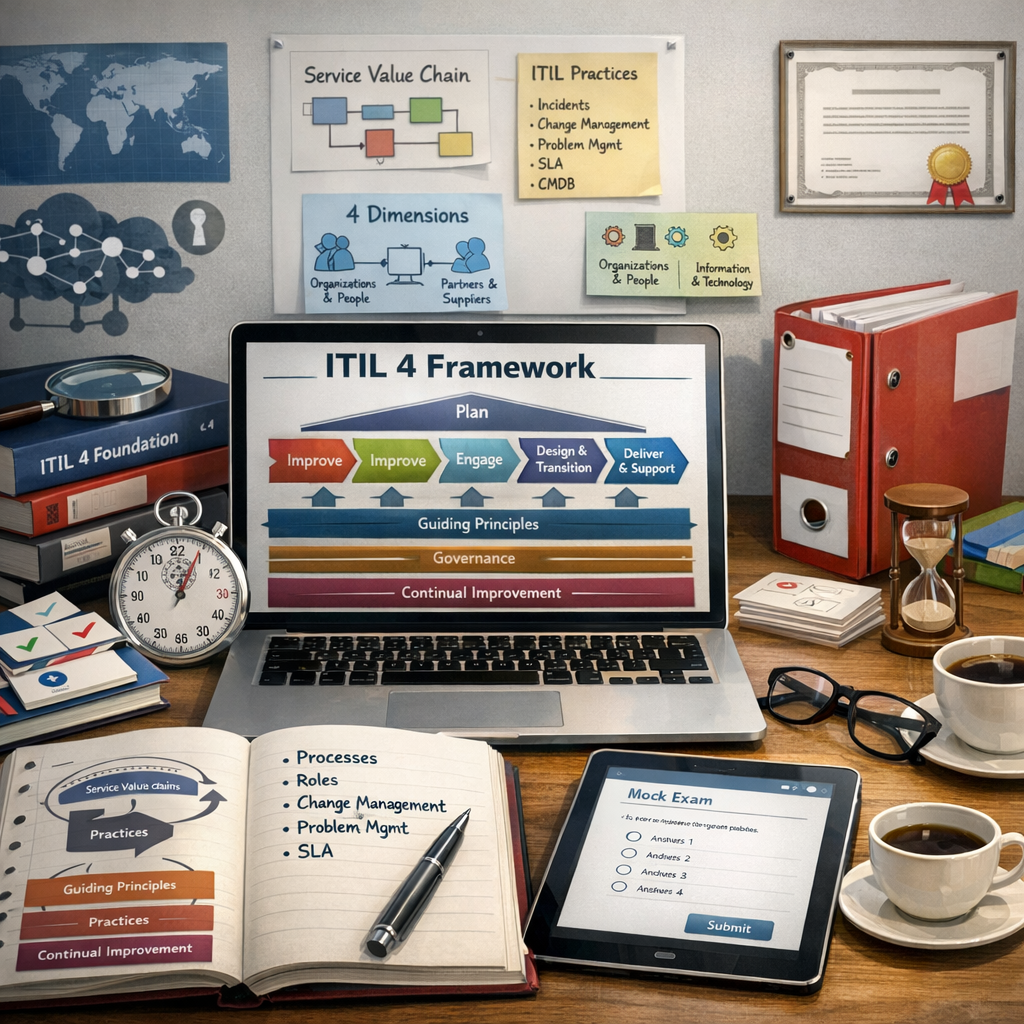
ITIL 4 Foundation Exam Prep: Complete Syllabus, Exam-Focused