Skarp
Skarp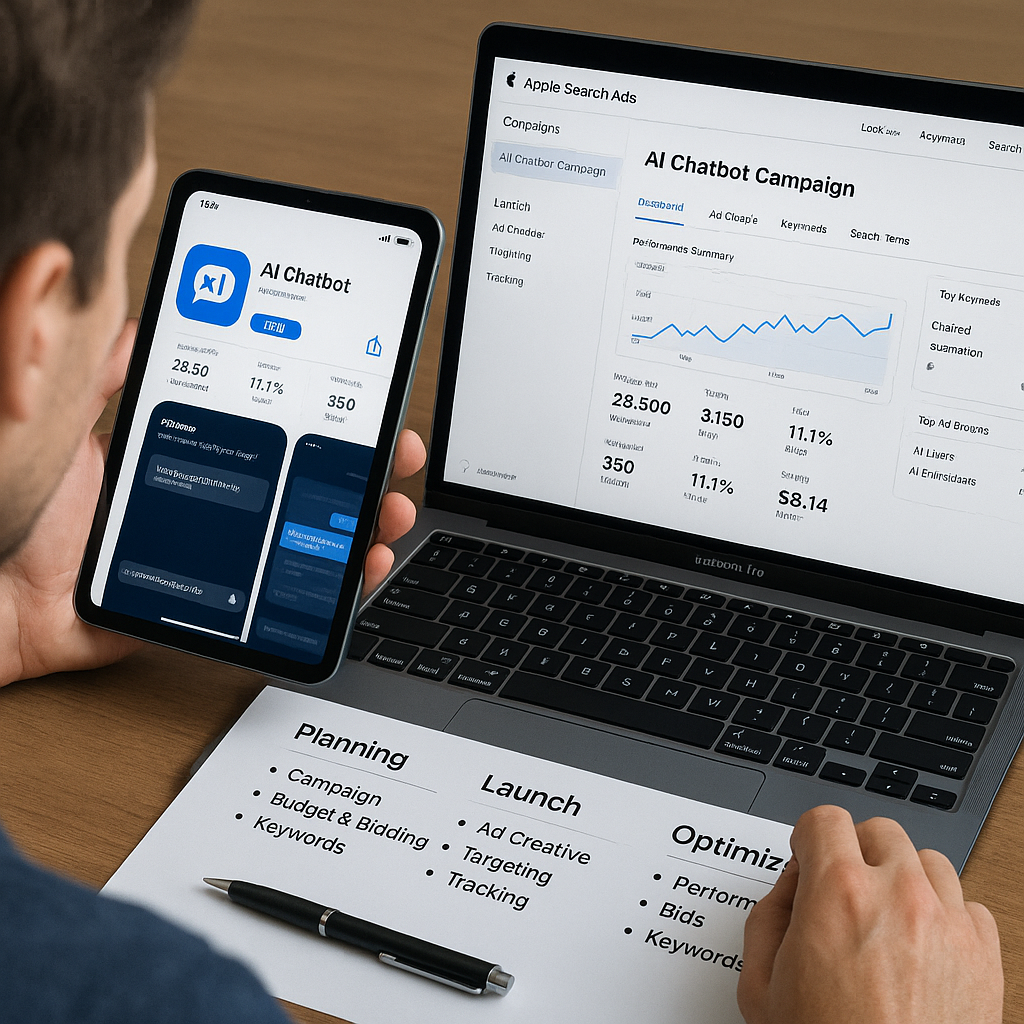
Apple Ads for AI Apps: A Practical App Store Acquisition Playbook
Learn how to plan, launch, and optimize Apple Ads campaigns to profitably acquire users for your AI-powered custom audio course app. This course focuses on App Store-specific strategy, privacy-safe targeting, creative optimization, and measurement tailored to subscription and AI apps.
The first lecture plays free — no account needed.
What you'll learn
- Students will be able to describe how Apple Ads drives app discovery and installs across the App Store.
- Students will understand which Apple Ads placements map best to their AI audio course app’s goals (awareness vs. acquisition vs. re-engagement).
- Students will be able to explain the differences between Today tab, Search tab, Search Results, and Product Page ads and when to use each.
- Students will understand how Apple’s auction and pricing models work, including upcoming additional search results ad positions and what they imply for competition and strategy.
- Students will be able to identify the main Apple Ads policies that affect creative, claims, and placement eligibility for their app.
- Students will understand how ATT and evolving antitrust scrutiny of Apple advertising practices impact their data use, attribution, and messaging strategy.
- Students will be able to set realistic, measurable goals and KPIs for their Apple Ads investment based on their app’s monetization model.
- Students will understand how to outline a simple, scalable campaign structure that aligns with their growth stage (e.g., launch vs. scale).
- Students will be able to research and group keywords that reflect different user intents (e.g., ‘learn Spanish audio’, ‘AI study coach’, ‘podcast-style courses’).
- Students will understand how to use Apple’s recommendations, search popularity, and impression share metrics to prioritize and refine keyword lists over time.
Prerequisites
- Role of Apple Ads in app growth
- Apple Ads placements and pricing basics
- Apple Ads fundamentals
- Basic understanding of their own app’s monetization
- Goals and campaign structure for Apple Ads
- Apple Ads placements and campaign goals
Course Content
9 modules · 2h 15m total
Module 1: How Apple Ads Fits Into Your AI App’s Growth Engine
Orient yourself to Apple Ads as a performance channel for your AI-powered audio course app, and understand where it fits alongside other acquisition tactics.
Module 2: Apple Ads Fundamentals and Current Ecosystem
Learn the core mechanics of Apple Ads today, including placements, pricing models, and recent changes such as expanded search results inventory coming in 2026.
Module 3: Policies, Privacy, and Compliance for AI and Education Apps
Understand the key Apple Ads and App Store policies, plus privacy and regulatory considerations when advertising an AI-driven learning app.
Module 4: Designing a Profitable Apple Ads Strategy for an AI Audio Course App
Translate your business model into a clear Apple Ads strategy, including goals, KPIs, and a basic campaign structure tailored to subscriptions or in-app purchases.
Module 5: Keyword and Intent Strategy for App Store Search
Build a keyword strategy that captures high-intent users searching for learning, productivity, and AI-powered tools on the App Store.
Module 6: High-Converting Creatives, Product Pages, and Deep Links
Optimize your App Store product page, custom product pages, and deep links to showcase your AI audio course experience and maximize conversion from taps to installs and trials.
Module 7: Launching and Managing Apple Ads Campaigns Day-to-Day
Walk through setting up your first campaigns, configuring targeting and bids, and using Apple Ads’ built-in optimization and recommendations to manage performance.
Module 8: Measurement, Attribution, and Iterative Optimization
Learn how to evaluate campaign performance beyond installs, including cohort-based revenue, retention, and learning engagement specific to your AI audio course app.
Module 9: Scaling, Advanced Tactics, and Future-Proofing
Scale what works by expanding placements and geos, refining audiences via keyword and creative themes, and preparing for ecosystem changes like expanded search ad inventory and evolving privacy rules.
Read the Textbook
Read every chapter for free, right here in your browser.
In this module, you’ll connect Apple Search Ads (often called Apple Ads in marketing teams) to the growth engine of an AI‑powered audio course app.
As of early 2026, Apple’s primary performance advertising product for App Store acquisition is Apple Search Ads. It’s tightly integrated into App Store search and discovery, and is one of the few places you can reliably pay for high‑intent iOS traffic that leads directly to installs.
You’ll learn how to: See Apple Ads as one piece of a full growth stack (paid + organic + lifecycle) Match ad placements to user intent (from discovery to re‑engagement) Align your AI and personalization story with what users see in the App Store
Study Flashcards
Key concepts from this course as flashcard pairs.
Module 1: How Apple Ads Fits Into Your AI App’s Growth Engine
Apple Search Ads (Apple Ads)
Apple’s performance advertising product integrated into the App Store, used to promote apps via placements like Search Results, Search Tab, Today Tab, and Product Page Ads.
Search Results Placement
An Apple Search Ads placement that appears at the top of App Store search results after a user enters a query; usually the highest‑intent and most performance‑oriented placement.
Search Tab Placement
An Apple Search Ads placement that appears on the Search tab before a user types a query; used for broad discovery and awareness.
Today Tab Placement
A highly visible Apple Search Ads placement on the App Store’s Today tab, suited for brand awareness, launches, and major campaigns.
Product Page Ads
Apple Search Ads shown on other apps’ product pages, often under recommendations like “You Might Also Like,” useful for capturing users evaluating similar apps.
User Intent
The underlying motivation or goal a user has at a specific moment (e.g., actively searching for an app vs casually browsing), which should guide your choice of ad placement and messaging.
+1 more flashcards
Module 2: Apple Ads Fundamentals and Current Ecosystem
Today tab ad
A high-impact ad placement at the top of the App Store’s Today tab, used mainly for broad awareness and launches, purchased via Apple Ads Advanced with CPT bidding.
Search tab ad
An ad shown at the top of the App Store Search tab before a user types a query, capturing pre-search intent without explicit keyword targeting.
Search Results ad
A keyword-targeted ad shown in App Store search results when users type specific queries. It now includes both the top sponsored result and additional sponsored positions as Apple expands inventory.
Product Page ad
An ad shown on app product pages, allowing you to promote your app on your own page or on other apps’ pages to capture users already browsing similar apps.
CPT (Cost Per Tap)
The amount you pay each time a user taps your ad. In Apple Ads Advanced, you set a Max CPT bid that participates in auctions.
CPI (Cost Per Install)
Total ad spend divided by total installs. A key performance metric that shows how efficiently your Apple Ads budget converts taps into installs.
+2 more flashcards
Module 3: Policies, Privacy, and Compliance for AI and Education Apps
App Tracking Transparency (ATT)
Apple’s framework that requires apps to obtain explicit user permission via a system prompt before tracking users across apps or websites owned by other companies or combining their data with third-party data for advertising or measurement.
Tracking (in Apple’s sense)
Linking user or device data collected from your app with data from other companies’ apps, websites, or offline properties for targeted advertising or measurement, or sharing it with a data broker. Typically requires ATT consent.
SKAdNetwork (SKAN)
Apple’s privacy-preserving attribution API that provides aggregated, delayed install and conversion data to advertisers without sharing device-level identifiers, widely used for measuring Apple Search Ads performance.
Misleading claim
Any statement in your app or ad that is untrue, unverifiable, or likely to create false expectations (e.g., guaranteed grades, 100% accuracy of AI). Apple’s policies prohibit such claims.
Data minimization
A privacy principle (reflected in Apple’s rules and laws like GDPR) that you should collect, store, and process only the personal data that is necessary for a specific, clearly defined purpose.
Personalization (in-app vs. cross-app)
In-app personalization uses behavior **within** your app to customize content (usually not tracking). Cross-app personalization involves data from multiple apps or sites and typically counts as tracking under ATT.
+2 more flashcards
Module 4: Designing a Profitable Apple Ads Strategy for an AI Audio Course App
CPI (Cost per Install)
Total ad spend divided by the number of installs attributed to those ads. A basic efficiency metric, especially useful in early stages.
CPT (Cost per Trial Start)
Total ad spend divided by the number of users who start a free trial. Critical for subscription apps that rely on free trials as a step toward revenue.
CPS (Cost per Subscription)
Total ad spend divided by the number of paying subscribers acquired. A core KPI once you have enough data on trial‑to‑paid conversion.
LTV (Lifetime Value)
The total net revenue you expect from a user over their entire relationship with your app, after fees and churn are considered.
ROAS (Return on Ad Spend)
Revenue attributed to ads divided by ad spend, usually measured over a time window (e.g., 30, 90, or 180 days). A key profitability metric.
Brand Campaign
An Apple Ads campaign targeting your own app name and close variants to capture high‑intent users searching specifically for you.
+2 more flashcards
Module 5: Keyword and Intent Strategy for App Store Search
Brand Keyword
A keyword that includes your own app or company name (e.g., “AudioLearn AI”). Often high-intent and high-converting because users already know you.
Competitor Keyword
A keyword that includes another brand or app name (e.g., “Duolingo”). Used to reach users comparing alternatives; must comply with Apple’s policies and avoid misleading ad copy.
Generic Keyword
A broad, category-level term (e.g., “study app”, “learn Spanish”). Captures users exploring options but may be less targeted.
Feature Keyword
A keyword focused on a specific capability of your app (e.g., “audio language lessons”, “AI flashcards”). Signals users who know the feature they want.
Problem-Based Keyword
A keyword that describes a pain point or desired outcome (e.g., “learn Spanish while driving”, “stay focused studying”). Often indicates strong motivation.
Search Match
An Apple Search Ads setting that automatically matches your ad to relevant search terms based on your app’s metadata and category, useful for discovery.
+4 more flashcards
Module 6: High-Converting Creatives, Product Pages, and Deep Links
Default Product Page
The main App Store page for your app that all users see by default (search, browse, or ads without a custom product page). It communicates your broadest value proposition.
Custom Product Page (CPP)
A variant of your App Store product page with different screenshots, app previews, and promotional text, used to target specific audiences or intents (e.g., language learning vs productivity).
Above the Fold
The part of your App Store product page visible without scrolling (icon, name, subtitle, rating, first screenshots/app preview). It has the biggest impact on conversion.
Deep Link
A URL that opens your app to a specific screen or state (e.g., a particular course or onboarding flow), often implemented with iOS Universal Links or custom URL schemes.
Conversion Rate (CVR)
The percentage of users who complete a desired action (e.g., install, trial start) after tapping your ad or visiting your product page.
Intent Theme
A group of keywords and user motivations around a shared goal (e.g., learning a language, being more productive), used to organize ad groups and design matching CPPs.
Module 7: Launching and Managing Apple Ads Campaigns Day-to-Day
Search Results Campaign
An Apple Search Ads campaign type where your ad appears when users search in the App Store. It is keyword-based and usually the highest-intent placement.
Search Tab Campaign
A campaign type where your ad appears at the top of the App Store Search tab before a user enters a query, useful for discovery and awareness.
Product Pages Campaign
A campaign type where your ad appears on other apps’ product pages (including the You Might Also Like section), useful for category or competitor targeting.
CPT (Cost-Per-Tap) Max Bid
The maximum amount you are willing to pay for a tap on your ad. Apple charges up to this amount, but the actual CPT can be lower.
CPA (Cost Per Acquisition)
The average cost you pay to acquire a desired action (e.g., install, trial start, subscription). Calculated as total spend divided by number of acquisitions.
Apple Ads Recommendations
Automated suggestions from Apple Search Ads (e.g., to add keywords or adjust bids/budgets). They should be evaluated and applied selectively, not blindly accepted.
+1 more flashcards
Module 8: Measurement, Attribution, and Iterative Optimization
Cost Per Tap (CPT)
Average cost you pay each time someone taps your ad. Formula: CPT = Total Spend ÷ Total Taps.
Cost Per Install (CPI)
Average cost to acquire one install attributed to your ad. Formula: CPI = Total Spend ÷ Attributed Installs.
Cost Per Action (CPA)
Average cost for a specific down-funnel event such as a trial start, subscription, or course completion. Formula: CPA = Total Spend ÷ Number of Actions.
Return on Ad Spend (ROAS)
Measures how much revenue you earn for each dollar of ad spend over a defined period. Formula: ROAS = (Attributed Revenue ÷ Ad Spend) × 100%.
Lifetime Value (LTV)
Estimated total revenue a user generates over their relationship with your app, often approximated over a fixed time window (e.g., 90 or 180 days).
Retention
The percentage of users who return to your app after a certain number of days (e.g., Day-1, Day-7, Day-30). Critical for subscription and learning apps.
+4 more flashcards
Module 9: Scaling, Advanced Tactics, and Future-Proofing
Unit Economics
The financial ‘math’ per user or customer, including metrics like CPI, CAC, LTV, and LTV:CAC ratio that determine whether scaling spend is profitable.
Portfolio & Placement Mix
A strategy that treats Apple Ads placements (Today tab, Search tab, Search Results, Product Pages) as a portfolio, shifting budget toward higher‑return placements while managing risk.
Search Results Ads
Apple Search Ads that appear after a user enters a query in the App Store. Typically the highest intent and main driver of performance campaigns.
Geo Expansion
The process of launching and scaling campaigns in new countries or regions, with geo‑specific budgets, bids, and guardrails.
Intent Buckets (Keywords)
Grouping keywords by user intent (high, medium, low) to tailor bids, match types, and creatives to likely user goals.
More in Business
See all →
Practical Ways to Make Money with AI (2026 Edition)

Entrepreneurship: From Idea to Startup Launch

Professional Scrum Master I (PSM I) Exam Power Prep

EU:s arbete med produktsäkerhet: institutioner, nätverk och standardisering (Cloned)

Cybersecurity That Sells: Building Trust in ICT Sales Pitches